Now in Private Beta

The Complete Developer Ecosystem

Everything you need to build, deploy, and operate production AI agents.

SDKs, runtime services, CLI tools, and AI-assisted development—all designed to work together.

TypeScript SDK
10+ Runtime Services
AI Coding Assistant Skills
Pre-built Templates

Quick Start

FireFoundry is built for AI-assisted development. Install the CLI and skills, then let your AI coding assistant guide you through the rest.

What you'll need for local development

Docker Desktop minikube kubectl helm An AI coding assistant

FireFoundry runs on Kubernetes—locally via minikube or on any cloud provider. Most developers start local. Your AI assistant can help install anything you're missing.

1

Install the CLI and AI skills

# macOS / Linux
$ curl -fsSL https://firebrandanalytics.github.io/ff-website/install.sh | sh
$ ff-cli skills install

Standalone executable—no Node.js or npm required. Skills add FireFoundry knowledge to Claude Code, Cursor, Windsurf, and VS Code.

You'll need a beta license key to initialize your cluster. Request beta access to get one.
2

Open your AI coding assistant

Claude Code Cursor Windsurf VS Code + Continue

The installed skills teach your AI assistant FireFoundry's SDK patterns, CLI commands, service configuration, and deployment workflows.

3

Tell it what you want to build

claude
You
Set up a local FireFoundry cluster and create a customer support agent with a knowledge base
AI Assistant
I'll walk you through this using the FireFoundry skills. First, let me bootstrap your cluster...
$ ff-cli cluster init --license ~/.ff/license.jwt
$ ff-cli env create -t self-contained -n dev
$ ff-cli application create my-support-agent
Now I'll scaffold the agent bundle with a bot that uses your knowledge base and the Broker for LLM routing...

Your AI assistant handles cluster setup, SDK patterns, service configuration, broker routing, build and deploy cycles—and troubleshooting when things go wrong.

4

Iterate in conversation

"Add image generation"

Configures model routing, provider credentials, and blob storage.

"Add a structured output bot"

Implements Zod schemas, prompt templates, and model pool routing.

"Deploy and test this"

Builds, deploys to your cluster, and verifies health checks.

The FireFoundry Ecosystem

Six integrated layers that give you everything you need. Each layer is designed to work seamlessly with the others.

3. SDKs

TypeScript libraries for building and consuming agents.

5. Marketplace

Pre-built components ready to use.

  • AI Training Platform
  • Reusable skills
  • Structured data extraction
  • Starter apps
  • Community contributions

6. AI Coding Assistant Skills

Skills for Claude Code, Cursor, and more.

  • FireFoundry for Claude Code
  • FireFoundry for Cursor
  • SDK-aware autocomplete
  • Best practice guidance
  • Vibe code your agents
Learn more →

Batteries Included

Stop cobbling together services. Start building agents.

AI & Model Services

Use Any AI Model. Switch Anytime.

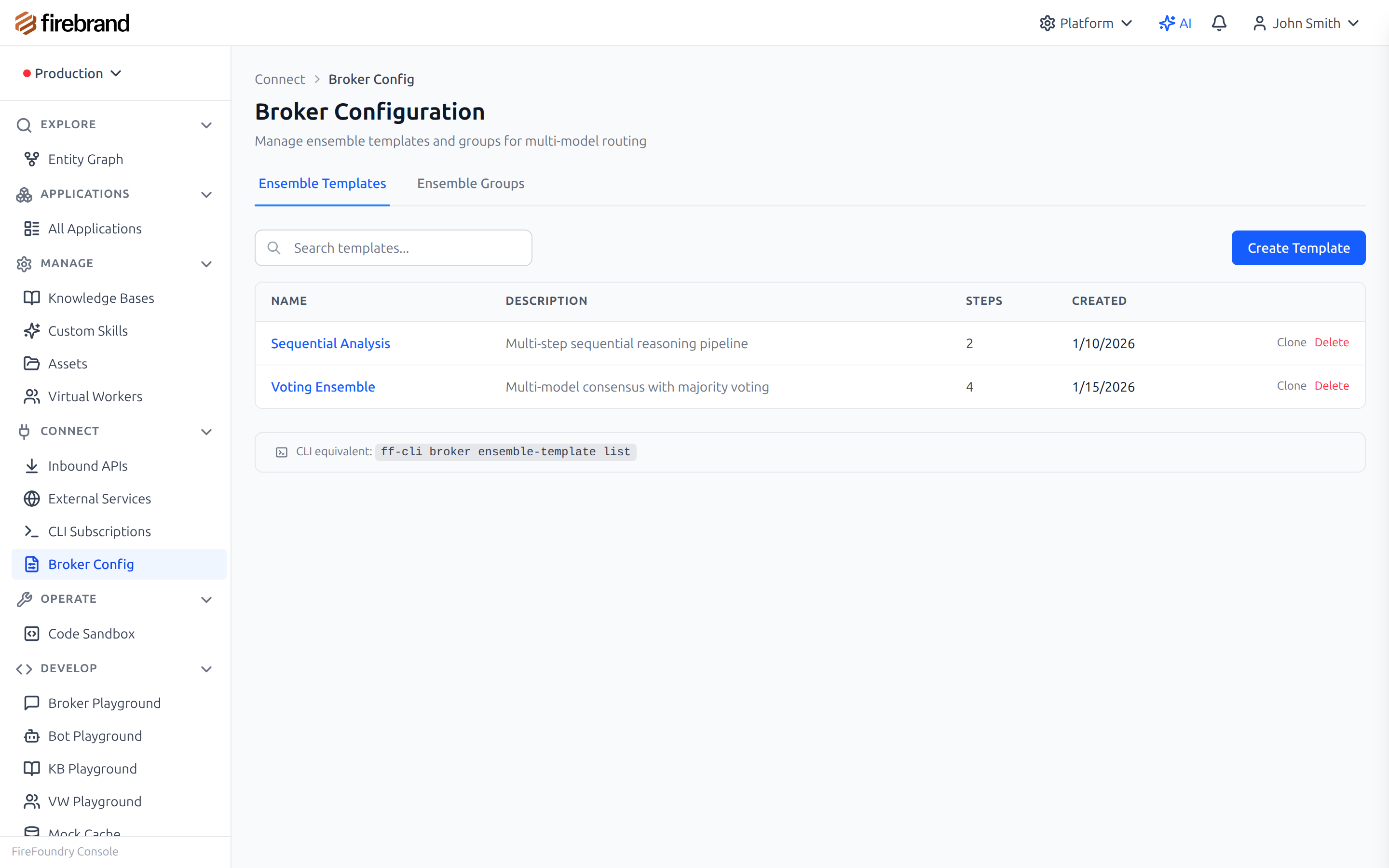
Every AI provider has outages. Hardcoding a single provider means your app goes down when they do. FireFoundry's industrial-grade broker routes text completions and image generation across providers—with capacity management, QoS tiering, and performance tracking built in.

  • Route to multiple providers with automatic failover
  • Change models without changing code
  • Generate images alongside text through the same routing layer
Explore AI & Model Services
Model Groups Configuration

Configure model groups and failover in the console
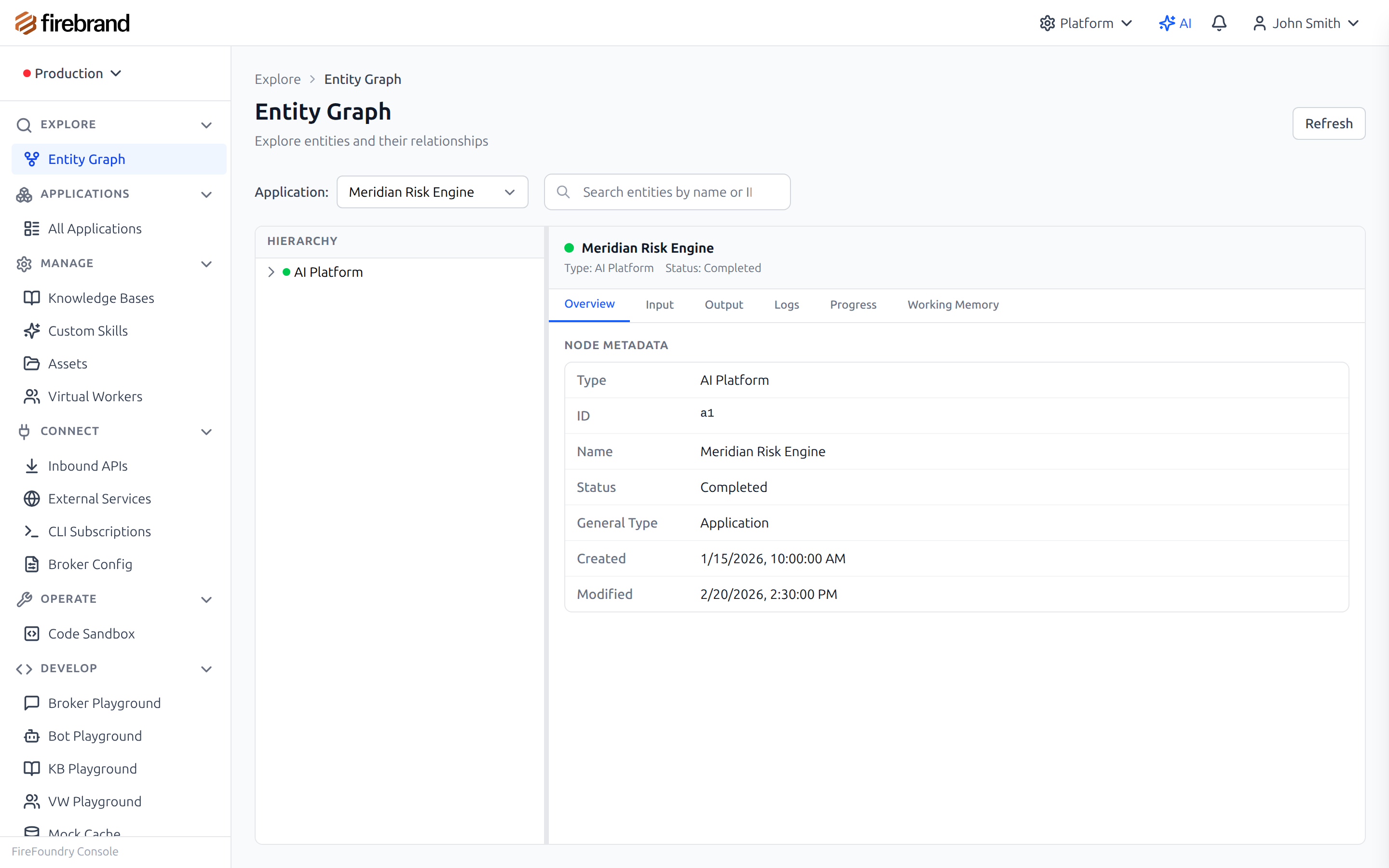
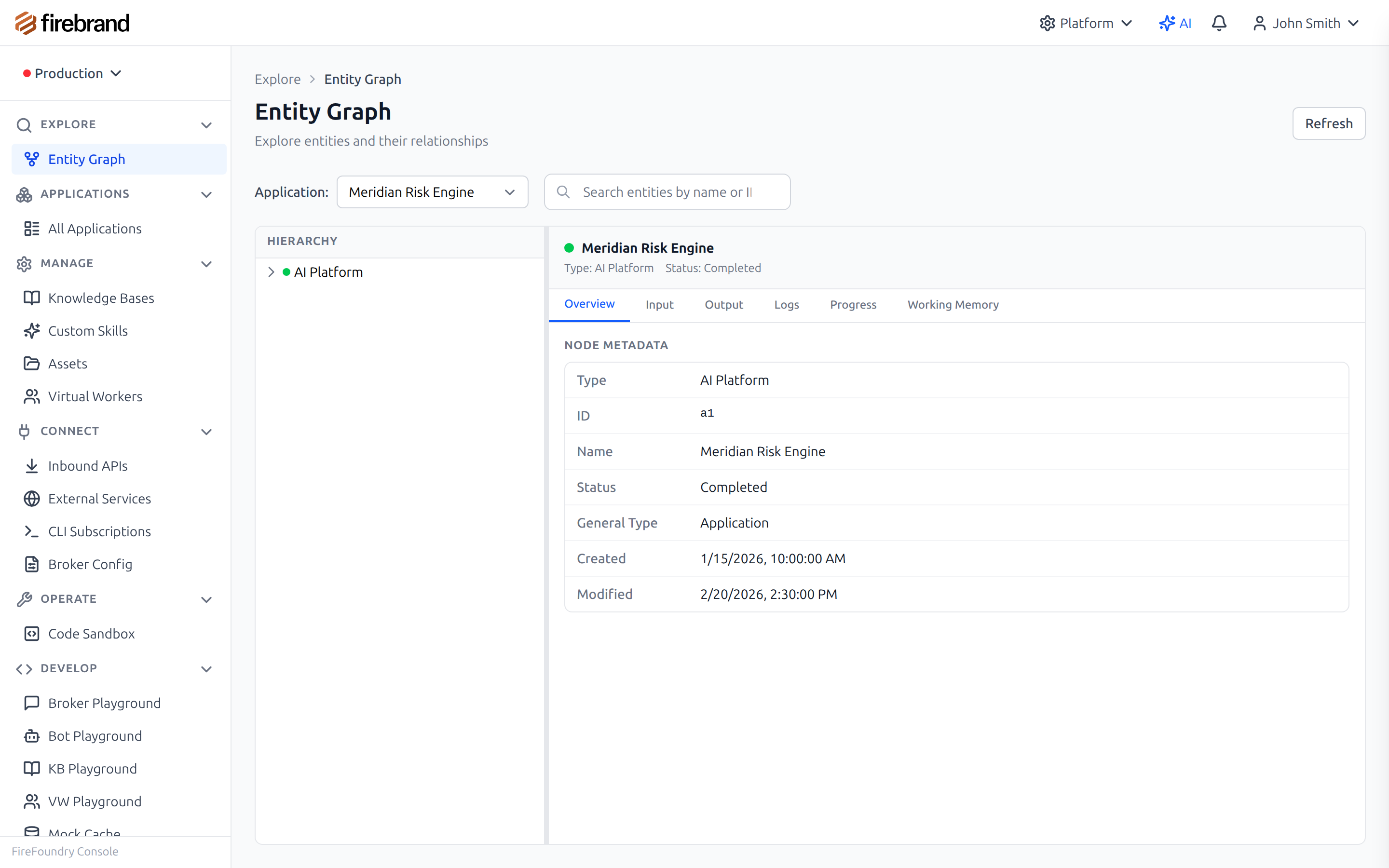
Entity Graph Workflows

Build sophisticated workflows with the entity graph

Workflows & State

Build Workflows That Survive Failures.

Complex agents need state machines, multi-step workflows, and human-in-the-loop approvals. You're stitching together queues, databases, and retry logic. When something fails, you start over.

  • Entity graph tracks state, relationships, and history
  • Automatic checkpointing—resume from where you left off
  • Human-in-the-loop with waitable entities
Explore Workflows & State
Security & Execution

Run Agent Code Safely.

AI agents generate and execute code. One mistake exposes your infrastructure. You're building sandbox after sandbox, reimplementing security controls, and hoping you didn't miss an edge case.

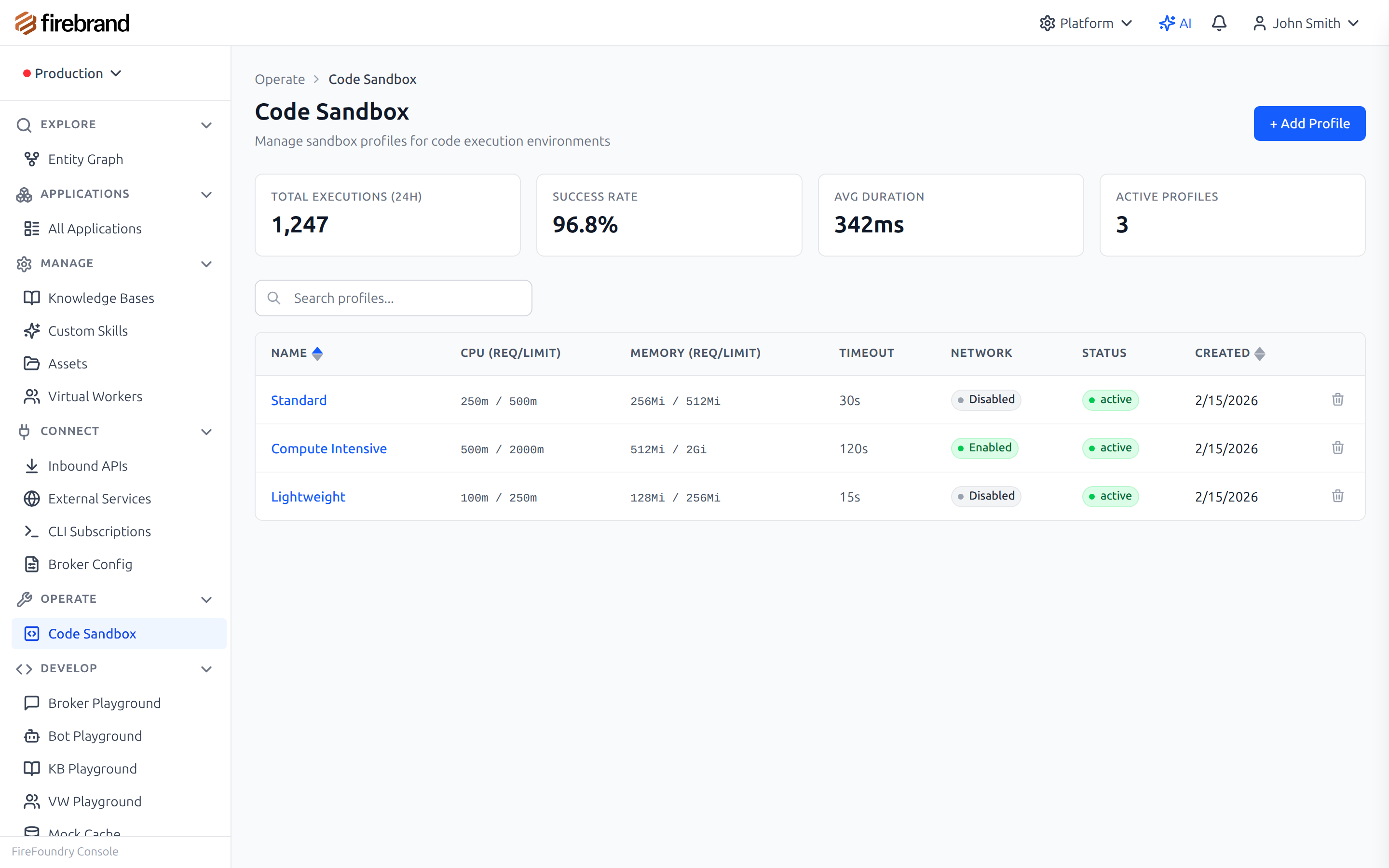
  • Execute untrusted code in isolated sandboxes
  • Control resources with configurable profiles
  • Audit every execution automatically
Explore Security & Execution
Sandbox Configuration

Configure sandbox profiles for different use cases
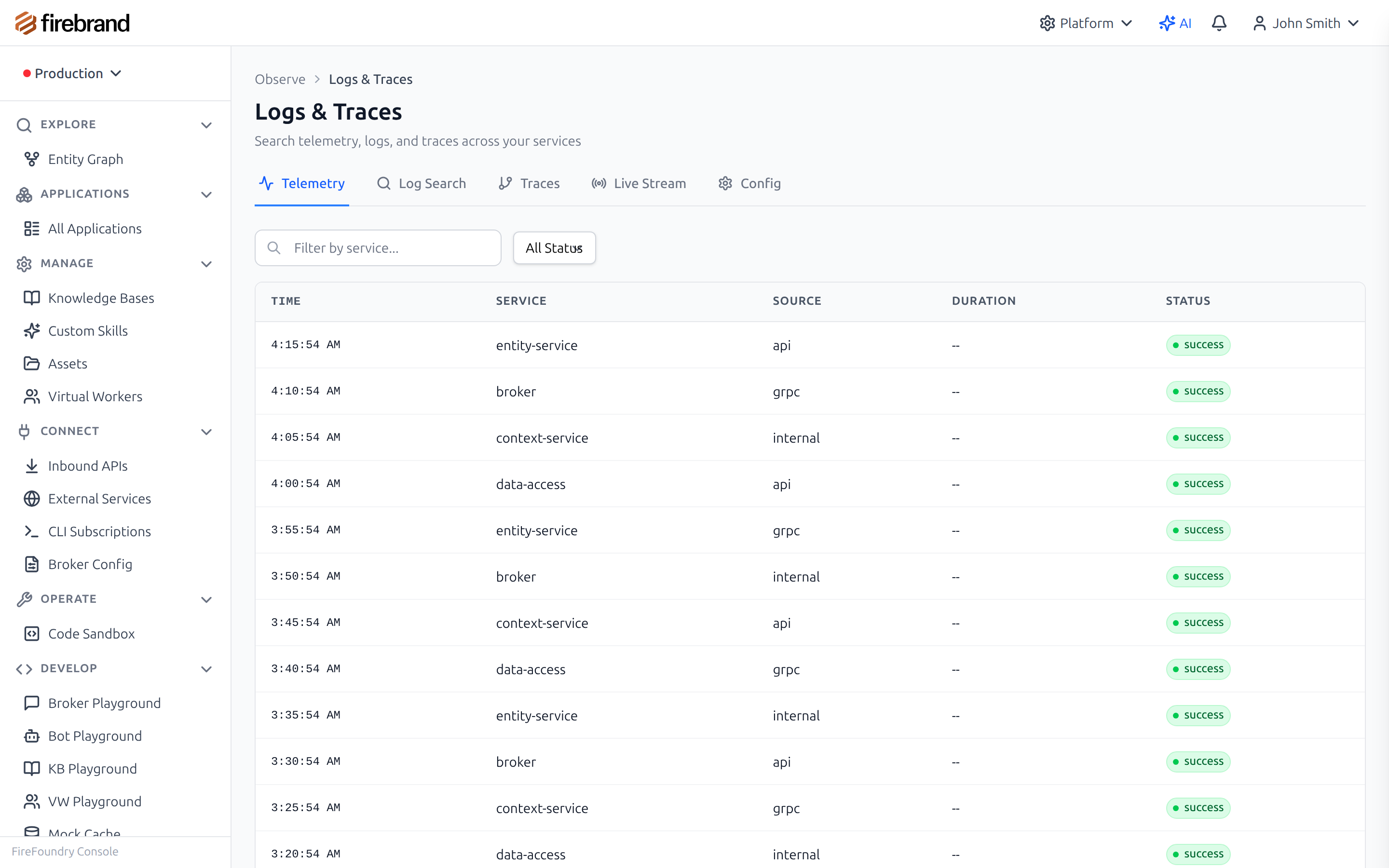
Telemetry Viewer

Search and explore full request telemetry

Observability & Operations

Know What Your AI Is Doing.

When your AI agent gives a wrong answer, you can't explain why. Logs are scattered across services. Debugging production AI takes hours of detective work—and you still might not find the root cause.

  • Capture every request and response automatically
  • Trace requests through the entire system
  • Let AI investigate incidents for you
Explore Observability
Testing & Evaluation

Test AI Deterministically.

"It worked in staging" means nothing when your system is non-deterministic. You can't write reliable tests when the LLM returns different answers each time. CI/CD pipelines become a source of anxiety.

  • Record and replay LLM responses for consistent tests
  • Evaluate outputs with AI-powered assessment
  • Run test suites against any environment
Explore Testing & Evaluation
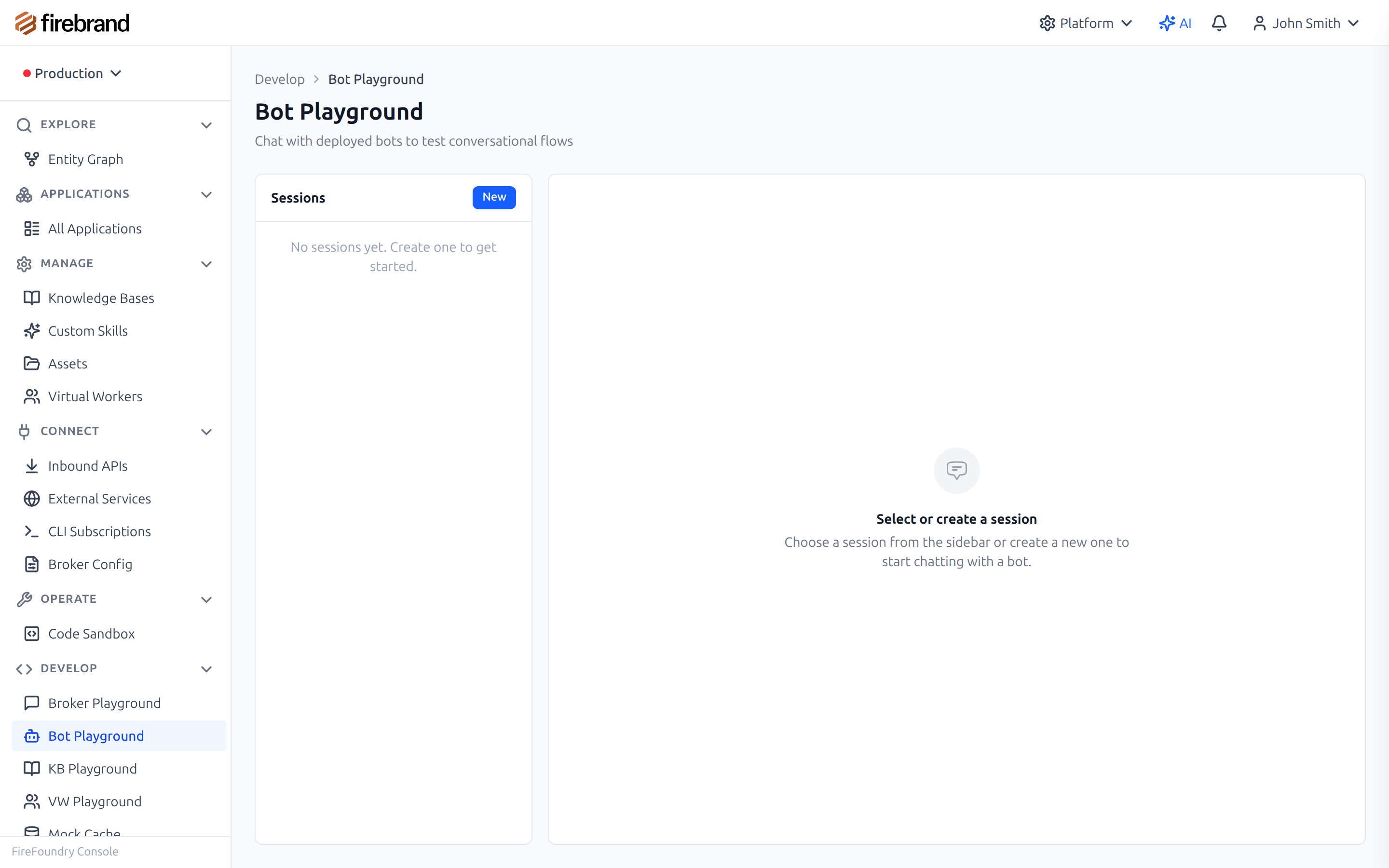
Testing Playground

Interactive playgrounds for testing and debugging
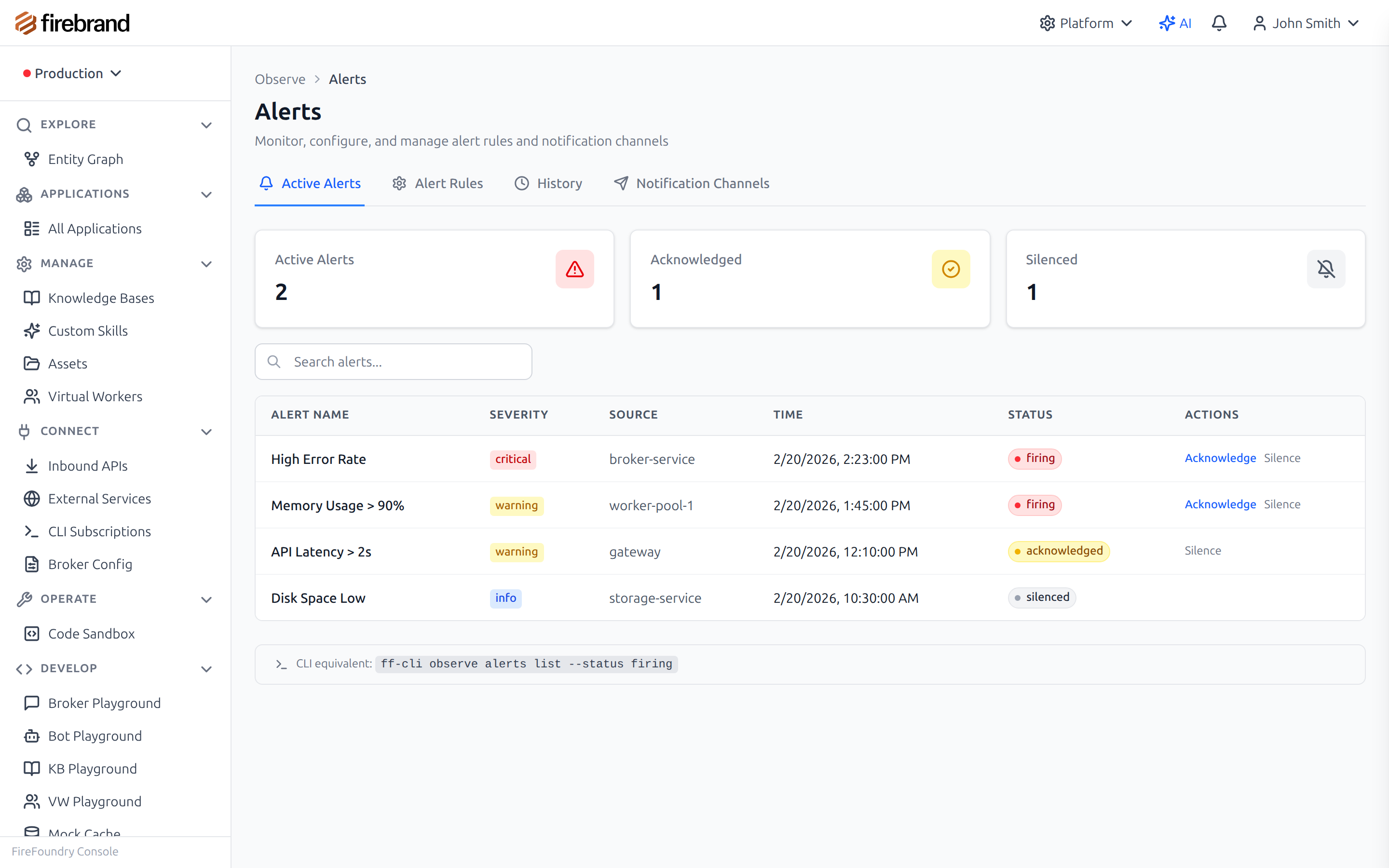
AI Diagnostic Report

AI automatically investigates incidents and suggests fixes

AI-Powered Operations

Let AI Run Your Platform.

Managing AI systems shouldn't require another AI team. When incidents happen, you're manually correlating logs across services. Setting up the platform means reading docs and hoping you got it right.

  • AI diagnostics auto-triggered on incidents
  • Natural language log search and analysis
  • AI-guided setup and configuration
  • Metrics, alerting, and incident tracking built-in
Explore AI-Powered Operations
Knowledge & Documents

Ground Agents in Real Information.

LLMs hallucinate. Your agents need facts from your documents, real-time web data, and structured knowledge. You're building extraction pipelines, embedding services, and retrieval systems from scratch.

  • Document processing: PDFs, images, tables, OCR
  • Web search service for real-time information
  • Built-in RAG with intelligent chunking and retrieval
Explore Knowledge & Documents
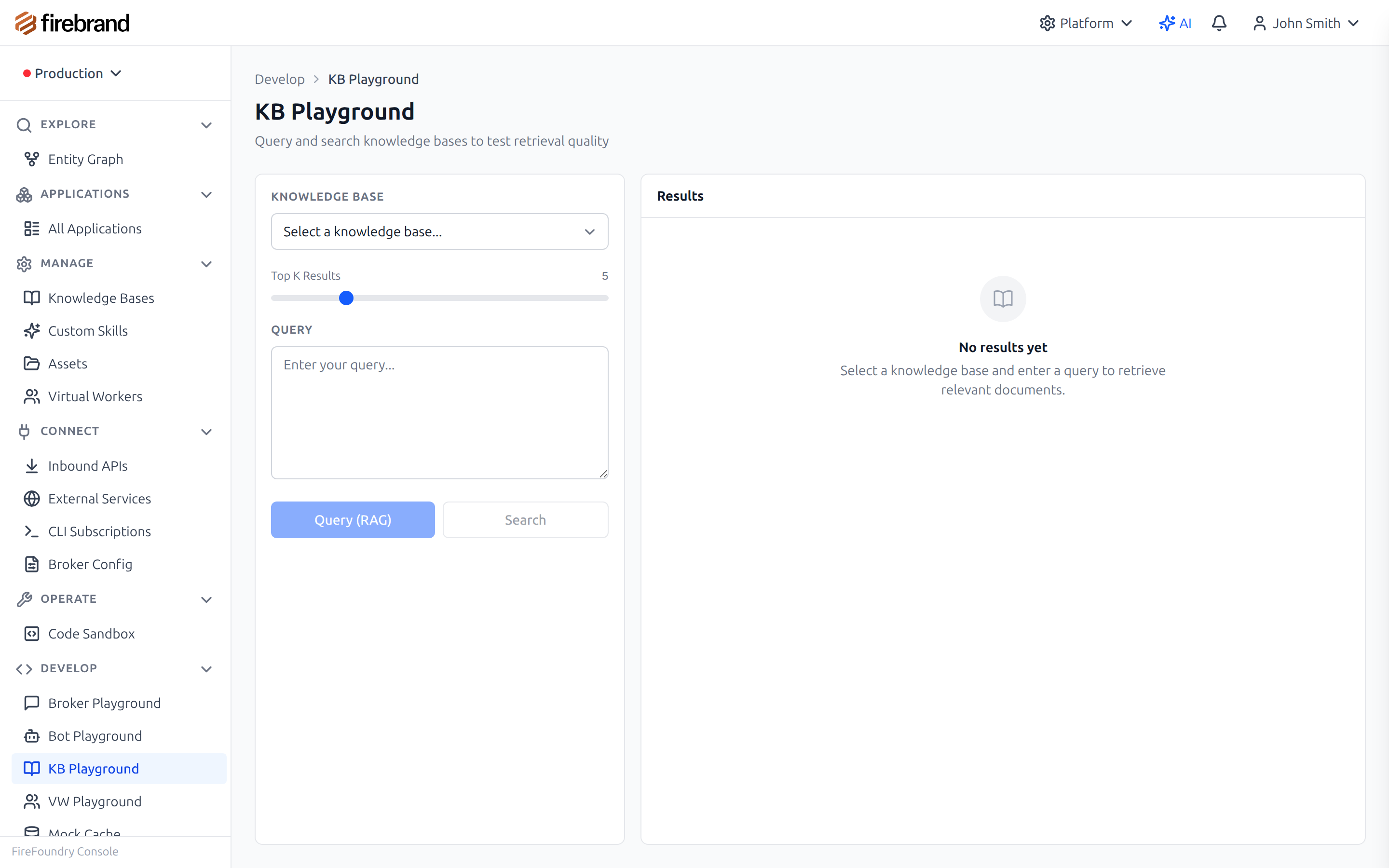
Knowledge Base Playground

Test retrieval quality with the knowledge base playground
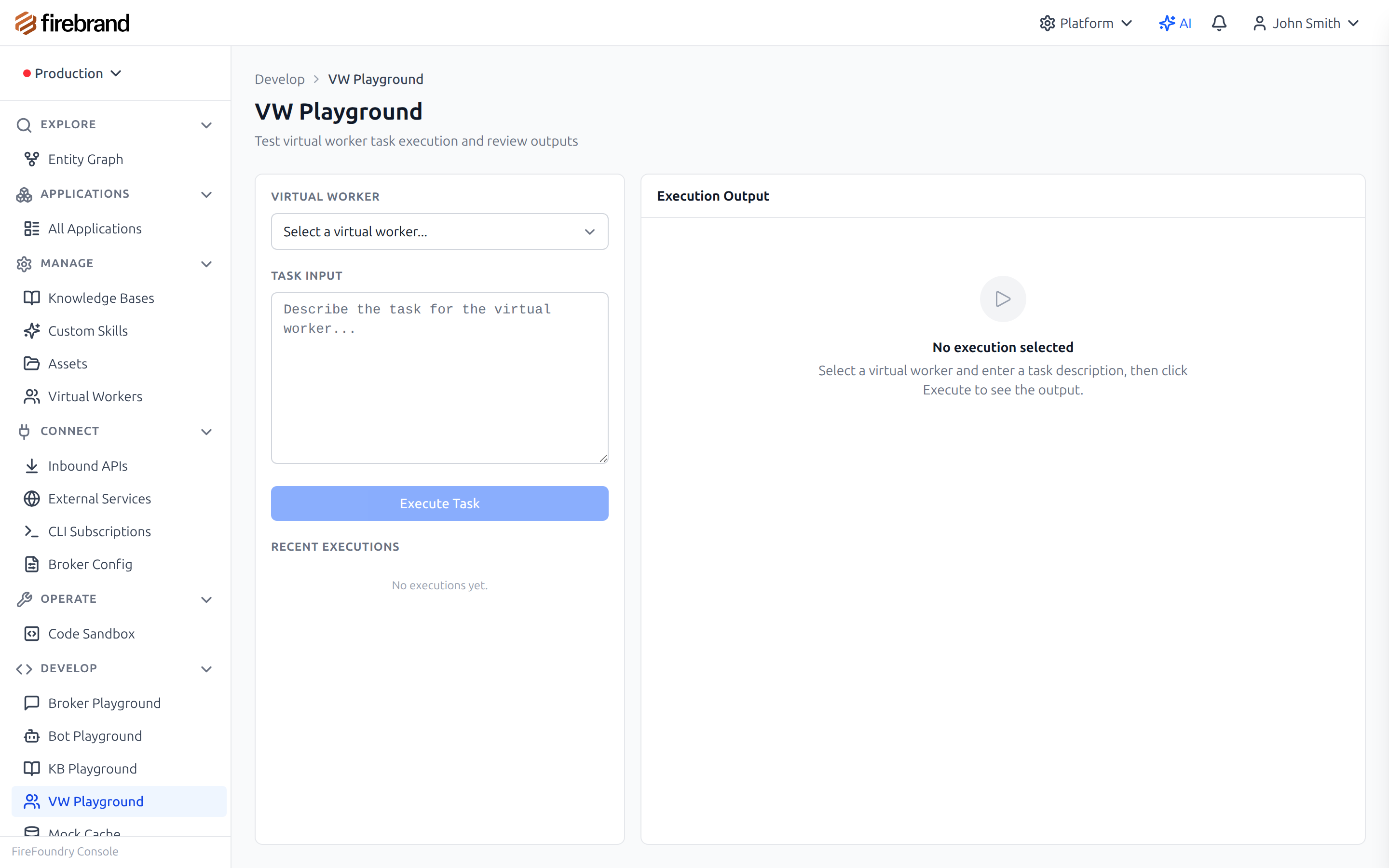
Virtual Worker Playground

Test and debug long-running virtual workers

Virtual Workers

Claude Code for the Cloud—In Your Environment.

Tools like Claude Code, Codex, and Gemini CLI are transforming development. FireFoundry orchestrates these same powerful agents in your cloud—with access to your intranet, sensitive data, and internal systems. Add advanced workflows, triggers, and enterprise controls on top.

  • Run Claude Code, Codex, Gemini in your own environment
  • Access internal systems, repos, and sensitive data securely
  • Trigger with workflows, schedules, and events
  • FireFoundry's own coding agent—or bring Claude Code, Codex, Gemini
Explore Virtual Workers
AI-First Development

Vibe Code Your Agents

We're an AI company building for AI developers. We don't just write documentation—we provide skills that help AI coding assistants help you.

With FireFoundry skills installed, your AI assistant knows exactly how to structure agent code, which decorators to use, and best practices for production agents.

Claude Code
Cursor
Windsurf
VS Code + Continue
Install FireFoundry Skills
AI Assistant

> "Build me a customer service agent that uses our product KB"

With FireFoundry skills, your AI assistant generates:
@Bot({
  name: 'support-bot',
  modelGroup: 'fast-chat',
  knowledgebases: ['product-docs']
})
export class SupportBot {
  async respond(input: string) {
    return (await this.chat(input)).content;
  }
}

Learn by Building

Step-by-step tutorials that build real applications. Each tutorial has a companion demo app you can deploy.

See It In Action

Real code examples from the AgentSDK.

import {
  GeneralBot, PromptGroup, Prompt,
  PromptTemplateTextNode, RegisterBot,
} from '@firebrandanalytics/ff-agent-sdk';

const systemPrompt = new Prompt({ role: 'system', static_args: {} });
systemPrompt.add_section(new PromptTemplateTextNode({
  content: () => 'You are a sentiment analysis assistant. ' +
    'Return JSON: { summary, findings[], confidence }',
}));

const userPrompt = new Prompt({ role: 'user', static_args: {} });
userPrompt.add_section(new PromptTemplateTextNode({
  content: (request) => `Analyze: ${request.input}`,
}));

@RegisterBot('SentimentBot')
export class SentimentBot extends GeneralBot {
  constructor() {
    super({
      name: 'SentimentBot',
      modelPoolName: 'fast-chat',
      promptGroup: new PromptGroup([
        { name: 'system', prompt: systemPrompt },
        { name: 'input', prompt: userPrompt },
      ]),
    });
  }
}

@RegisterBot makes this bot discoverable by the entity framework. Prompts are composed from typed template nodes, and the model pool routes requests through the Broker for failover and load balancing.

Powerful Developer Tools

The console gives you complete visibility into your agents.

Bot Playground

Interactive playgrounds for testing agents

Applications

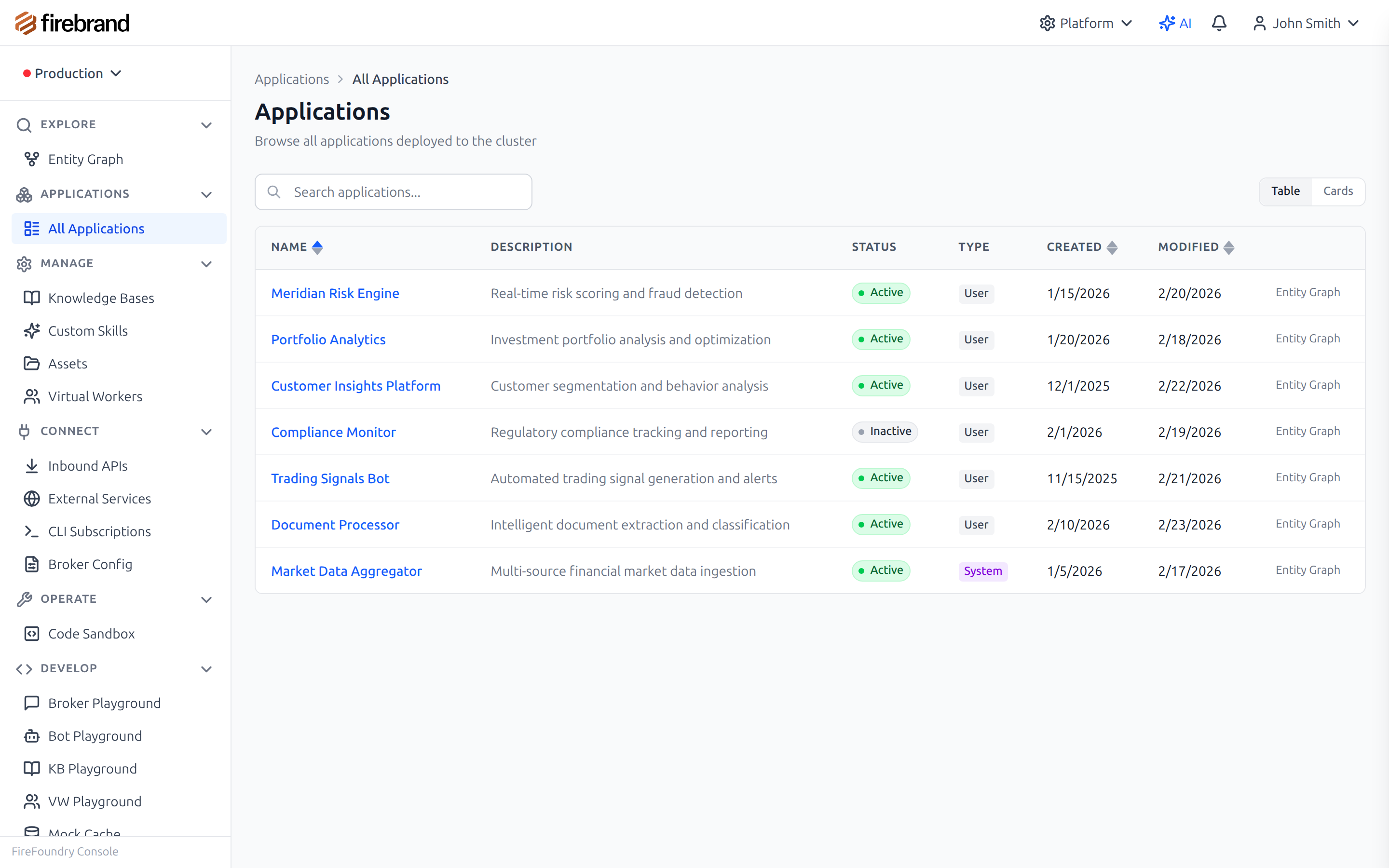
Browse all deployed applications and their status

Entity Graph

Visual entity graph for exploring data

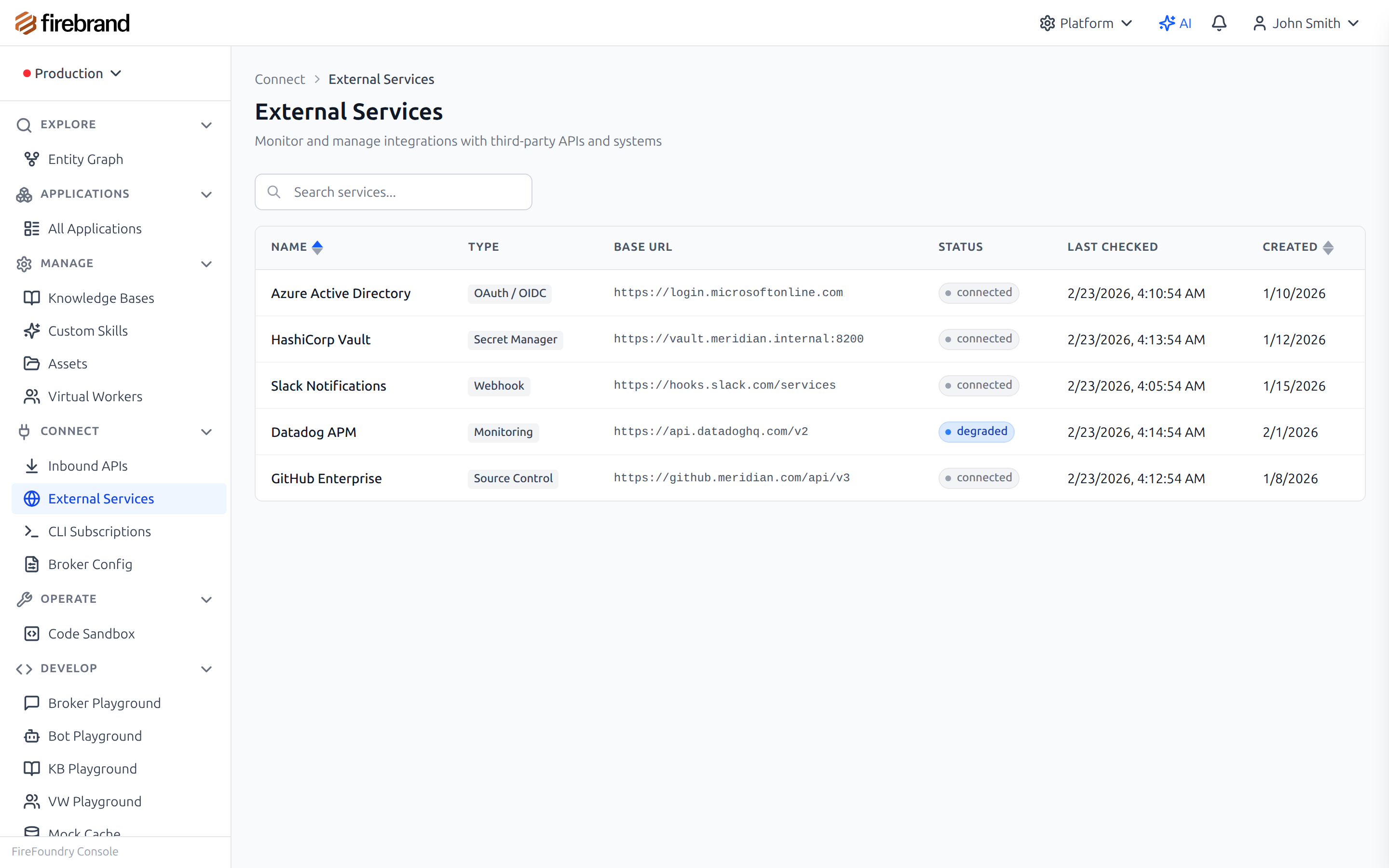
External Services

Manage external service integrations

Ready to Start Building?

Get started for free. No credit card required.