Entity Service
Persistent knowledge graph for AI agents. Store business objects, track relationships, search by meaning with vector embeddings, and maintain state across sessions — with zero-code persistence through TypeScript decorators.
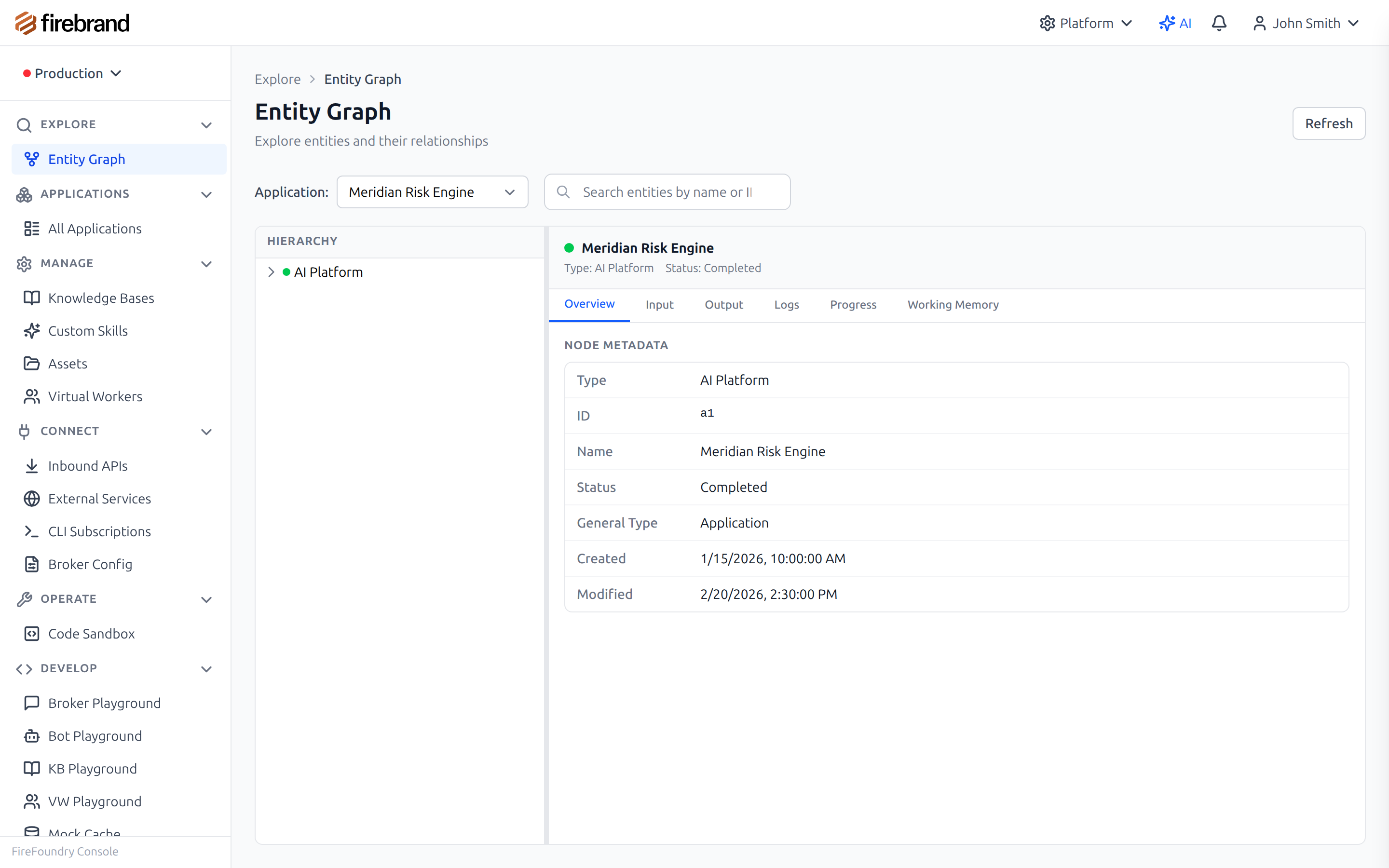
Visual entity graph browser showing relationships and state
Why It Matters
AI agents need long-term memory that goes beyond conversation. They need to track customers, orders, workflows, and the relationships between them. Building this persistence layer from scratch means designing schemas, managing migrations, wiring up graph traversals, and handling the complexity of versioned, auditable state.
The Entity Service gives you a knowledge graph with zero-code persistence. Decorate your TypeScript
classes with @Entity,
@Field, and
@Relation — and everything is
stored, versioned, and queryable automatically. Vector embeddings let agents find entities by meaning,
not just by ID or exact match. The visual graph browser in the console lets you explore the full
knowledge graph interactively.
Key Capabilities
- Zero-Code Persistence: TypeScript decorators (@Entity, @Field, @Relation) — no schema migrations, no ORM setup, no boilerplate
- Knowledge Graph: Nodes and edges with typed properties — traverse relationships, find connected entities, explore the full graph
- Graph Operations: Create, read, update, and archive nodes and edges through typed APIs with full input validation
- Embedding Search: Vector similarity search to find entities by meaning, not just exact match — powered by embedding vectors
- Version History: Every change is recorded with a full audit trail — roll back, compare, and debug with complete history
- Workflow State: Long-running workflows with automatic checkpointing and state recovery across agent restarts
- Human-in-the-Loop: Waitable entities that pause execution for human approval, then resume automatically when approved
- Cascading Operations: Archive or update related entities automatically when a parent entity changes
- Visual Graph Browser: Explore entities and relationships in the console's interactive graph view with drill-down
- MCP Integration: All graph operations available as MCP tools — create nodes, edges, search, and traverse via the MCP Gateway
Entity Graph Architecture
Nodes represent business objects, edges represent typed relationships
How it works: Each business object is a node with typed properties. Relationships between nodes are edges with their own type and optional properties. Agents traverse the graph to find connected entities, and vector embeddings let them search by semantic meaning across the entire graph.
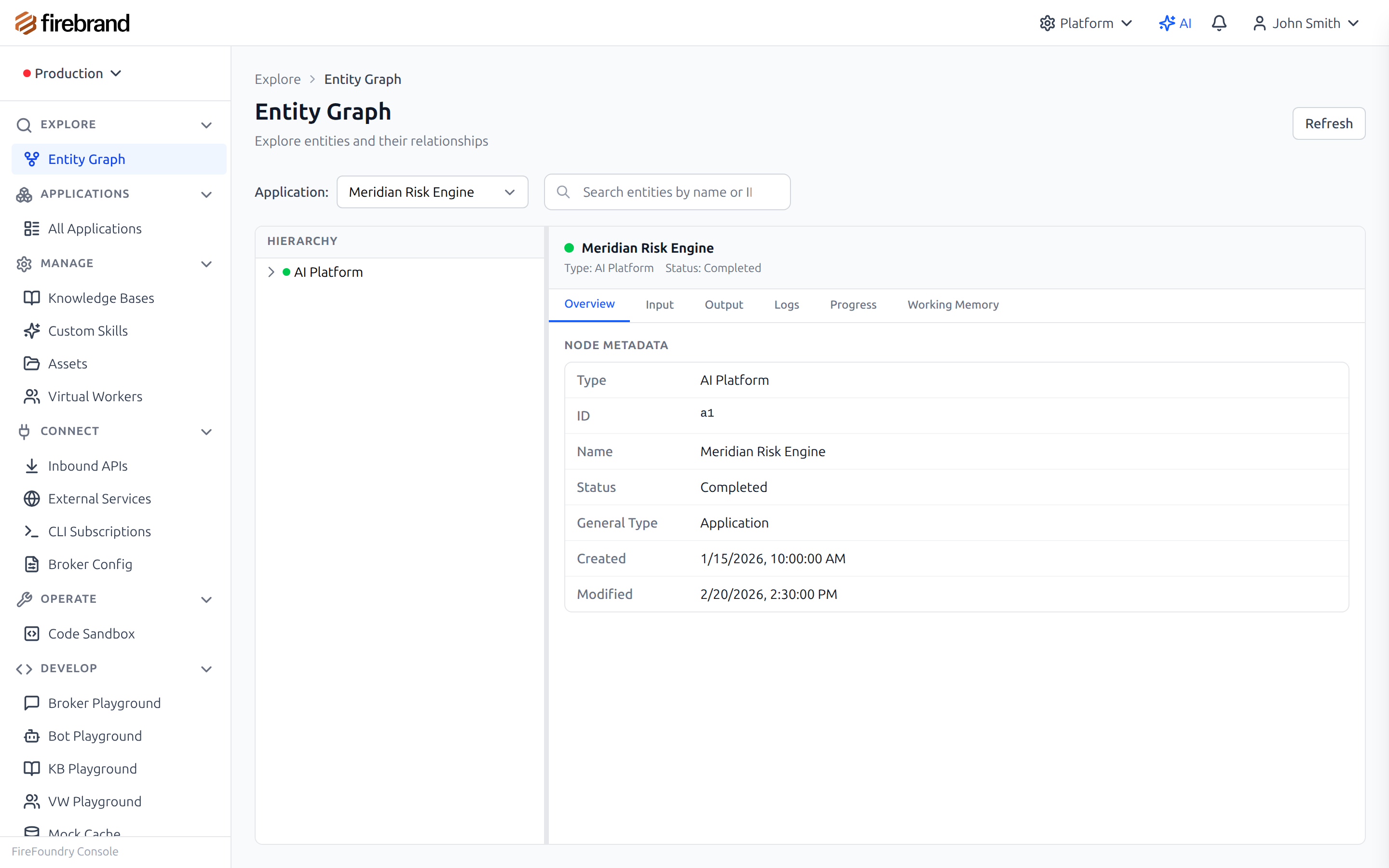
Explore entity relationships and drill into details
Graph Operations
The Entity Service exposes a complete set of graph operations for creating, reading, updating, and traversing the knowledge graph. All operations are available through the SDK, the MCP Gateway, and the console's visual browser.
| Operation | Description |
|---|---|
| Create Node | Create a new entity with a class name, display name, and typed properties |
| Get Node | Retrieve an entity by its unique ID with the full property set and metadata |
| Update Node | Modify an entity's properties with automatic versioning — previous state is preserved |
| Archive Node | Soft delete an entity (or unarchive it) with optional cascading to connected nodes |
| Create Edge | Connect two entities with a typed relationship and optional edge properties |
| Get Connected | Traverse edges from a node to find all connected entities by edge type |
| Search by Embedding | Find semantically similar entities using vector similarity search with configurable limit and threshold |
Entity Definitions
Define your business objects as TypeScript classes with decorators. The Entity Service automatically handles persistence, versioning, and relationship tracking. No schema files, no migration scripts, no ORM configuration.
import { Entity, Field, Relation, Workflow } from '@firefoundry/agent-sdk';

@Entity({ name: 'customer' })
class Customer {
  @Field() name: string;
  @Field() email: string;
  @Field() tier: 'free' | 'pro' | 'enterprise';
  @Field() sentiment: number; // Updated by analysis agent

  @Relation('orders')
  orders: Order[];

  @Relation('company', { direction: 'outbound' })
  company: Company;
}

@Entity({ name: 'order' })
class Order {
  @Field() total: number;
  @Field() status: 'pending' | 'shipped' | 'delivered';
  @Field() items: LineItem[];

  @Relation('customer', { direction: 'inbound' })
  customer: Customer;
}
Working with the Graph
Use the graph API to create entities, build relationships, traverse connections, and search by semantic meaning. Every operation is automatically versioned and auditable.
// Create entities
const customer = await entityGraph.createNode({
  type: 'customer',
  properties: { name: 'Acme Corp', tier: 'enterprise' }
});

// Create relationships
await entityGraph.createEdge({
  source: customer.id,
  target: orderId,
  type: 'owns',
  properties: { since: '2025-01-15' }
});

// Find related entities
const orders = await entityGraph.getConnected({
  nodeId: customer.id,
  edgeType: 'owns',
  direction: 'outbound'
});

// Semantic search — find similar entities by meaning
const similar = await entityGraph.searchByEmbedding({
  query: 'enterprise accounts with high satisfaction',
  type: 'customer',
  limit: 10
});
MCP Tools
All graph operations are available as MCP tools through the MCP Gateway. External agents and integrations can create nodes, build relationships, and search the knowledge graph using the standard MCP protocol — no SDK required.
| Tool Name | Description |
|---|---|
| entity_get_node | Retrieve a node from the knowledge graph by its ID |
| entity_create_node | Create a new instance node with class name, display name, and data |
| entity_update_node | Update an existing node's data with automatic versioning |
| entity_archive_node | Archive (soft delete) or unarchive a node |
| entity_get_connected | Get nodes connected to a given node via a specific edge type |
| entity_create_edge | Create a typed edge between two nodes with optional edge data |
| entity_search_by_embedding | Search for nodes by embedding vector similarity with configurable limit and threshold |
Use Cases
Customer Intelligence
Track customers, interactions, and sentiment across conversations and sessions. Agents build a persistent profile of each customer — their history, preferences, and relationships — that survives restarts and context window limits.
Workflow Orchestration
Build multi-step workflows with automatic checkpointing, human approvals, and state recovery. If an agent restarts mid-workflow, it picks up exactly where it left off with full context from the entity graph.
Knowledge Management
Store and query organizational knowledge with semantic search. Embedding vectors let agents find relevant information by meaning — asking for "Q4 revenue concerns" surfaces entities tagged with financial risk, even without exact keyword matches.
Relationship Discovery
Traverse the graph to find connections between entities that agents would not see otherwise. Discover that a support ticket is linked to an order, which is linked to a customer, who works at a company that has an active enterprise contract — all through edge traversal.